Renters can’t swap wall switches or rewire fixtures, but that still leaves plenty of smart lighting options that need nothing more than screwing in a bulb or plugging something into an outlet — all fully removable when you move out.
The rule for renters
Anything that requires cutting power at the breaker or touching house wiring is off the table unless your lease and landlord explicitly allow it (and even then, you’d need to revert it before moving out). Stick to bulbs, plug-in devices, and battery-powered fixtures.
1. Philips Hue White and Color
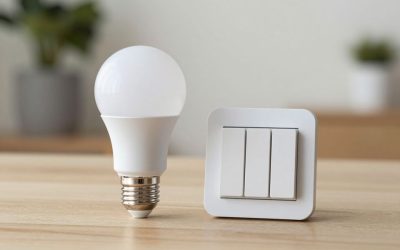
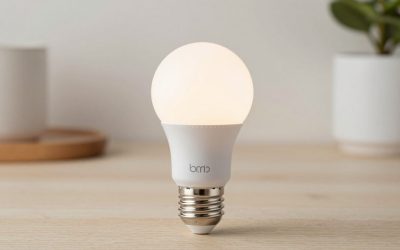
Hue bulbs screw into any standard fixture and give you full color and dimming control through the app, voice assistants, or a physical remote. No wiring, and they come with you when you move — just leave the landlord’s original bulbs in a box for move-out day.
Check Philips Hue White and Color on Amazon
2. Wyze Bulb Color
A cheaper alternative to Hue that still covers color and scheduling, without needing Hue’s optional bridge for full functionality. A good starting point if you’re not ready to commit to a pricier ecosystem.
Check Wyze Bulb Color on Amazon
3. Govee Smart Light Strips
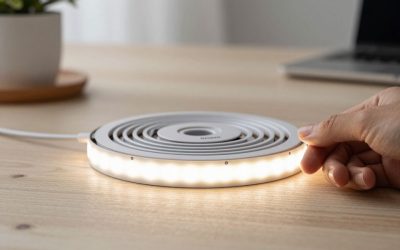
Light strips stick on with adhesive backing, run off a plug-in power adapter, and peel off cleanly when you leave. They’re a good way to add accent lighting behind a TV, under cabinets, or along a headboard without any permanent changes.
Check Govee Smart Light Strip on Amazon
4. Lutron Caseta Plug-In Lamp Dimmer
For table and floor lamps rather than overhead fixtures, this plugs directly into a wall outlet and lets you dim or schedule the lamp with a wireless Pico remote or the Lutron app, no wiring involved at all. It’s a practical fix for rooms that only have lamp lighting and no overhead fixture to swap bulbs in.
Check Lutron Caseta Plug-In Lamp Dimmer on Amazon
5. Sengled Smart LED Multicolor Bulb (Matter)
A budget alternative to Hue that’s Matter-certified, so it talks directly to Alexa, Google Home, Apple Home, or SmartThings over Wi-Fi without a separate bridge or hub purchase. It costs less per bulb than Hue, though Hue’s app still has more scene and automation depth once you’re building out a full room.
Check Sengled Smart LED Multicolor Bulb on Amazon
Moving out without leaving a trace
Before move-out, swap smart bulbs back for the original bulbs you (hopefully) kept in a box, peel off any adhesive light strips carefully to avoid paint damage, and unplug the lamp dimmers. None of this takes more than a few minutes, and it avoids any dispute about what counts as a fixture versus a removable device when you’re getting a deposit back.
Dealing with no overhead fixture at all
Older apartments sometimes have no ceiling light at all in a bedroom or living room, just outlets controlled by a wall switch. In that case, smart bulbs aren’t an option since there’s no fixture to put them in — this is exactly the situation the plug-in lamp dimmer is built for, letting you control floor and table lamps as if they were a proper smart lighting setup.
Battery-powered options for areas without good outlet access
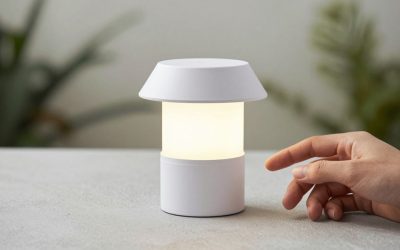
Closets, under-cabinet spaces, and stairwells sometimes don’t have a convenient outlet nearby. Battery-powered smart puck lights and motion-activated LED strips fill that gap, running on batteries instead of needing a plug, and many can still be controlled or scheduled through an app even without being hardwired or plugged in.
Voice control without a hub
Hue’s full feature set technically works best with its optional Bridge, but recent Hue bulbs also support Bluetooth-direct control from a phone for a single room, and some Hue and most Wyze, Govee, and Sengled products connect straight to Wi-Fi without any separate hub hardware at all. If you don’t want to buy an extra bridge, check that whichever bulb or strip you choose explicitly lists Wi-Fi, Bluetooth-direct, or Matter support before assuming a hub is required.
Roommates and shared spaces
In a shared apartment, stick to lighting you control individually in your own room rather than retrofitting shared living room fixtures, unless everyone involved agrees on it and on what happens to the gear when someone moves out. A lamp dimmer or bulb in your own bedroom avoids that conversation entirely.
Starting small before buying a whole kit
It’s tempting to buy a multi-bulb starter kit right away, but a single bulb in your most-used fixture is a cheaper way to confirm you like the app, the automation options, and the overall feel of smart lighting before committing to a full room or apartment.
What to check before buying any of these
Confirm three things before adding anything to your cart: whether the bulb or strip needs a 2.4GHz Wi-Fi network specifically, since some won’t join a 5GHz-only band or a mesh router set to one combined network name without extra configuration; whether the app requires a permanent account and gates the features you actually want behind a subscription; and whether the product is Matter-certified in case you switch voice assistants later. Renters tend to move more often than homeowners, so buying into a platform tightly locked to one ecosystem is a bigger long-term cost than the sticker price suggests — a Matter-certified bulb or strip protects you from having to rebuy everything if your next apartment’s household already uses a different assistant.
Common questions
Will my landlord know I installed smart bulbs? No — a smart bulb looks like any other bulb from outside the fixture, and swapping it back to a standard bulb before you move out leaves no trace it was ever there.
Do these work if the power goes out? Smart bulbs and plug-in dimmers lose their smart features during an outage just like any other electronics, but they reconnect automatically once power returns in most cases — you don’t need to re-pair anything.
Final thoughts
Start with bulbs in whatever fixtures you use most, add a light strip if you want accent lighting, and use the plug-in lamp dimmer for any lamp-only rooms. None of this requires landlord approval or a security deposit risk, and all of it packs up in a box on moving day.
Write Your Review
No reviews yet. Be the first to share your experience!