If you’re automating lighting for the first time, the first decision isn’t which brand to buy — it’s whether to replace the bulbs or replace the switch. Both get you app and voice control, but they solve slightly different problems.
Smart bulbs: per-fixture control and color
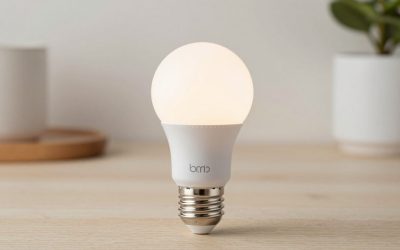
A smart bulb like the Philips Hue White and Color screws into an existing fixture and gives you dimming, scheduling, and color-changing effects without touching any wiring. The catch is that every bulb in the fixture needs to be smart for the effect to work consistently, and if someone flips the physical wall switch off, the bulb loses power and goes offline until it’s switched back on.
Check Philips Hue White and Color on Amazon
Check Wyze Bulb Color on Amazon
Smart switches: one upgrade, works with any bulb
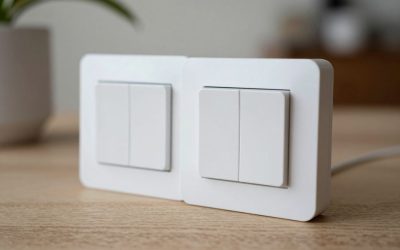
A smart switch like the Lutron Caseta in-wall dimmer replaces the wall switch itself, so it works with whatever bulbs are already in the fixture — including cheap, non-smart ones. It also solves the “someone turned off the physical switch” problem, since the switch itself is the smart device. The trade-off is that you lose per-bulb color control, and installing an in-wall switch means working with house wiring (or hiring someone who does).
Check Lutron Caseta In-Wall Dimmer on Amazon
Check Kasa Smart Switch on Amazon
Cost and effort compared
Smart bulbs are cheaper to start with and require zero electrical work, but the cost adds up if a fixture needs several bulbs. Smart switches cost more upfront per fixture and need basic electrical installation, but they cover every bulb in that fixture at once and never go dark because someone used the “wrong” switch.
What happens with multiple bulbs per fixture
A ceiling fixture with three or four bulb sockets is where smart bulbs get expensive fast — you need a smart bulb in every socket for consistent dimming and color, since a mix of smart and regular bulbs will dim unevenly or not at all on the non-smart ones. A single smart switch handles that entire fixture for one purchase and one install, which is often the more economical choice once a fixture has more than two or three bulbs.
Voice control and automation on both
Both bulbs and switches support voice commands and scheduling through Alexa, Google Assistant, or Apple Home, so you’re not giving up automation by choosing a switch over a bulb. The difference shows up in what you can automate: a switch gives you on/off and dimming for the whole fixture, while a bulb-based setup lets you automate color changes and brightness per bulb, which matters for things like simulating a sunset in a bedroom or syncing lights to music.
A note on existing dimmer compatibility
If a room already has a dimmer switch and you want to add color-changing smart bulbs, check that the bulbs are rated to work with that existing dimmer, or bypass the dimmer with a standard switch instead. Running smart bulbs behind an old-style dimmer is a common source of flickering and unreliable brightness, since the bulb’s internal electronics and the dimmer’s switching method weren’t designed to work together.
Which to upgrade first
If you want colored lighting, accent lighting, or you’re renting and can’t touch the wiring, start with smart bulbs. If you own your home and just want reliable on/off/dimming for a room with multiple bulbs — a kitchen, a hallway, a stairwell — a smart switch is the better long-term investment, since it’s invisible to anyone who just wants to flip a switch like normal.
Three-way and multi-switch rooms
Rooms with a light controlled from two switches — common at the top and bottom of a staircase, for example — need a smart switch rated for three-way wiring, not a standard single-switch model. Smart bulbs avoid this problem entirely, since the bulb itself is the smart device regardless of how many physical switches feed power to the fixture, which can make bulbs the simpler choice specifically for multi-switch rooms.
Dimmer versus on/off-only switches
Not every smart switch dims — some are on/off only, which is fine for a bathroom or closet but limiting for a living room or bedroom. Check specifically for a dimmer-rated smart switch if the room benefits from adjustable brightness, since an on/off-only switch gives you scheduling and voice control but no ability to set a lower brightness level.
Outdoor fixtures
For porch lights and other outdoor fixtures, a weatherproof smart switch generally holds up better over time than screwing a standard indoor-rated smart bulb into an exposed outdoor fixture, since the switch itself stays protected inside the wall while the bulb would be the part exposed to weather either way.
Final thoughts
Most people end up using both eventually: switches for rooms with several plain bulbs, and bulbs for the one or two fixtures where color or scene-setting actually matters, like a living room or bedroom.
Write Your Review
No reviews yet. Be the first to share your experience!