Smart plugs range from bargain-bin basic to genuinely useful energy-monitoring devices, and the price difference is bigger than most people expect for what looks like the same product. Here’s what you actually get for paying more.
What separates budget from premium
The cheapest smart plugs do exactly one thing: turn power on and off remotely or on a schedule. Premium plugs add real-time energy monitoring (so you can see what a device is actually costing you to run), broader protocol support like Matter or Thread, and generally more reliable app performance under load.
Budget pick: Amazon Smart Plug
If you only need basic on/off scheduling for a lamp or fan and you’re already in the Alexa ecosystem, the Amazon Smart Plug is the cheapest reliable entry point, with setup entirely through the Alexa app and no separate hub required.
Check Amazon Smart Plug on Amazon
Budget pick: Wyze Plug
Wyze’s plug is one of the cheapest options from a brand with a dedicated app and a decent track record, supporting both Alexa and Google Assistant without needing a hub.
Premium pick: TP-Link Kasa KP125M
The KP125M adds real energy monitoring on top of the standard Kasa smart plug experience, letting you track how much a space heater, mini fridge, or other power-hungry device is actually using over time, plus Matter support for working across ecosystems.
Premium pick: Eve Energy
Eve Energy is built around Matter and Thread rather than a proprietary cloud-first app, which means faster local response times and no reliance on a company’s servers staying online for basic on/off control. It also includes energy monitoring and works directly with Apple Home without a separate bridge.
Reliability differences
Price differences aren’t only about features — build quality and app stability vary across the lineup too. Budget plugs from well-established brands like Amazon and Wyze are generally reliable for basic on/off scheduling, but cheaper third-party plugs with no real brand behind them are where most of the horror stories about dropped Wi-Fi connections and dead devices after a few months come from. Sticking to a recognized brand matters more than the budget-versus-premium split itself.
Hub-free setup on both tiers
None of these four plugs need a separate hub — they all connect directly to your home Wi-Fi (or, for the Eve Energy, to Thread if you have a compatible Apple Home or Google hub already on your network). That’s a meaningful change from older smart home gear that often required a dedicated bridge just to get one plug online.
Matter and future compatibility
Matter support matters most if you think you might switch voice assistants down the line, or if you want devices from different brands to work together without juggling four apps. The premium picks here lean into Matter specifically for that reason — the budget picks work fine today but are more tied to their own ecosystem if you ever change your mind about which smart speaker brand you use.
Is the upgrade worth it
If you’re just automating a lamp or a holiday light display, the budget plugs do the job and there’s no reason to spend more. The premium tier earns its price if you actually want to see energy usage data — for example, figuring out whether an old space heater or window AC unit is worth replacing — or if you want Matter/Thread reliability instead of depending on a single brand’s cloud app staying functional.
A middle-ground option
If energy monitoring sounds useful but you’re not ready to commit to the premium tier, buy one monitoring-capable plug for whatever device you’re actually curious about — an old refrigerator, a space heater, a gaming PC — rather than replacing every plug in the house at once. That one data point is usually enough to decide whether the feature is worth paying for across the rest of your devices.
Where budget plugs fall short
Beyond missing energy data, budget plugs sometimes lag slightly when multiple smart home routines fire at once, and app responsiveness can degrade on a congested home network with many devices. This is rarely a dealbreaker for one or two plugs, but it becomes more noticeable once a household has a dozen or more smart devices competing for the same Wi-Fi band.
What about outdoor plugs
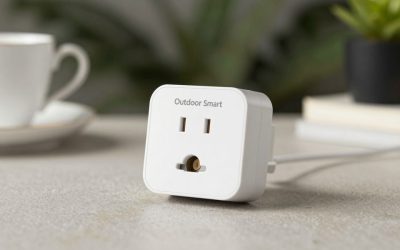
None of the four plugs covered here are rated for outdoor use. If you need a plug for a porch light or holiday display, look for one specifically labeled weatherproof or outdoor-rated — both budget and premium brands make outdoor versions, so the same budget-versus-premium logic applies, just with a different product line.
Final thoughts
Buy budget first. Most people never look at the energy data even when they have access to it, so there’s little point paying extra until you’ve confirmed you’ll actually use that feature.
Write Your Review
No reviews yet. Be the first to share your experience!